
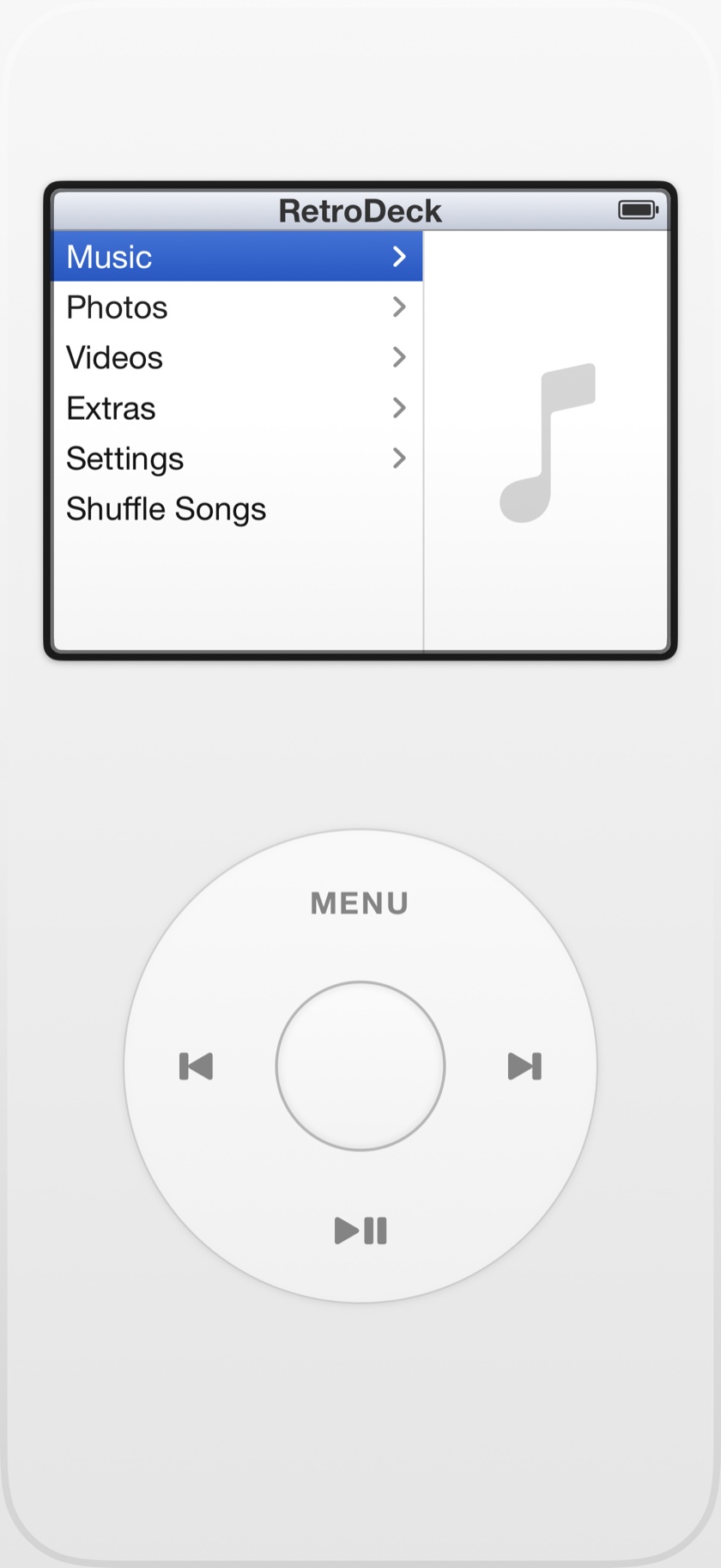
A touchscreen is, physically, a flat sheet of glass. The original click wheel was a ring you could feel, with four buttons pressed into its edges. Recreating one on the other is less about drawing a circle and more about rebuilding the sensation — and that turns out to be mostly a question of timing.
From a sweep to a tick
When your thumb circles the wheel, RetroDeck measures the angle it sweeps, moment to moment. That continuous motion is divided into discrete steps — scroll ticks — so a smooth drag becomes the familiar one-row-at-a-time advance of the original. Sweep slowly and you nudge a single row; sweep fast and the list flies, exactly as muscle memory expects.
The part you feel
Each tick fires two things at once: a haptic tap through the iPhone's Taptic Engine, and the clicker sound you remember. That pairing is the whole trick. A silent swipe feels like nothing; a swipe where every step taps your thumb and clicks in your ear feels like a wheel. The taps are tuned to be crisp rather than buzzy, and the click follows your ringer volume, so it sits where you expect it.
A silent swipe feels like nothing. A tick you can feel feels like a wheel.
The four zones
The wheel is not only for scrolling. Its edges are the old four buttons:
- Menu (top) steps back a screen.
- Play / Pause (bottom).
- Next (right) and Previous (left) skip tracks.
- Center selects — and, on Now Playing, cycles the wheel between scrubbing, shuffle, and repeat.
You stay in control of the feel
Not everyone wants the same intensity, so both halves are adjustable. The clicker sound can be switched off in Settings, and the haptics can be turned off too (they need a supported iPhone with system haptics enabled). Leave both on and it feels like 2005; turn them off and it is silent and smooth. It is your thumb, your call.
Feel every click again.
The wheel, the haptics, and the clicker — pointed at the music you own. $2.99 once, every feature included.
Frequently asked questions
Is there a music player with haptics for iPhone?
Yes. RetroDeck pairs every scroll tick of its click wheel with a haptic tap and the clicker sound, so navigating your music has a physical, tactile feel rather than a silent swipe.
How does a click wheel work on a touchscreen?
You glide your thumb around the wheel in a circle. The app measures the angle your thumb sweeps and converts it into discrete scroll ticks, each firing a haptic tap and a click — so a continuous drag becomes the familiar step-by-step scroll.
Can I turn off the clicker sound or haptics?
Yes. Both are toggles in Settings. The clicker follows your ringer volume, and haptics require a supported iPhone with system haptics enabled.